User Login
The user login form is the most common login method for commercial use.
It is a basic login method with a Username/password or Login code (Voucher).
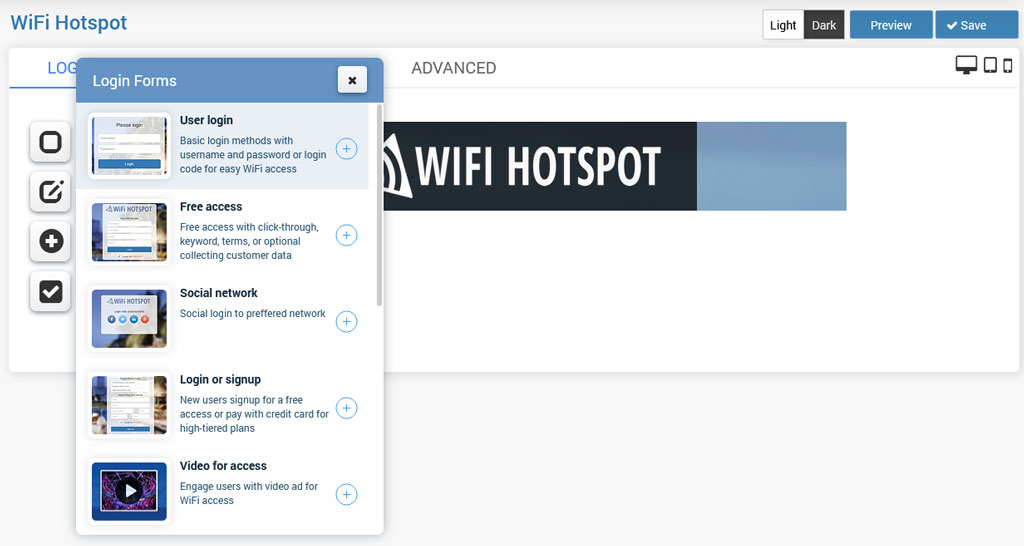
When you click on the + button, this login form will be added as the login method.
By default, it is set to User login with Username/Password.
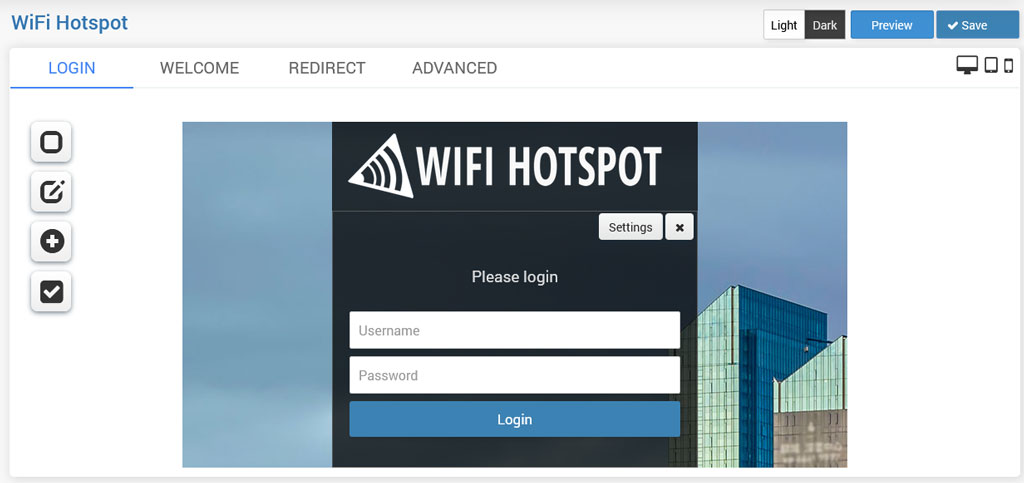
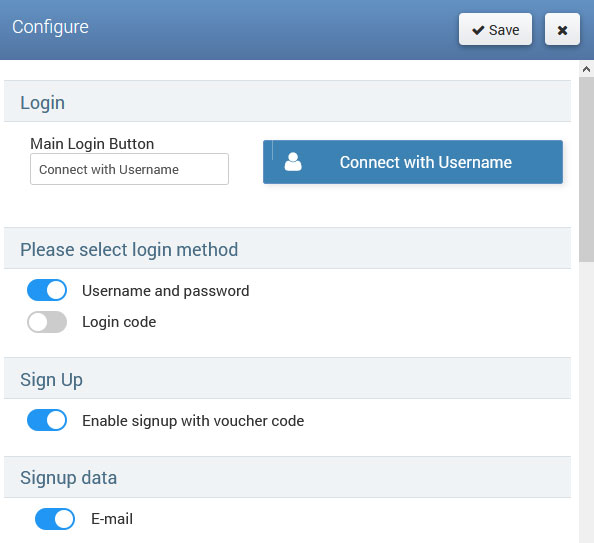
In Settings, can be set Main Login button text, select login method Username and password or Login code and optionally enable Signup with voucher code.
Select Signup data that will be required on the Splash page, and from the Label customization section optionally change label titles.
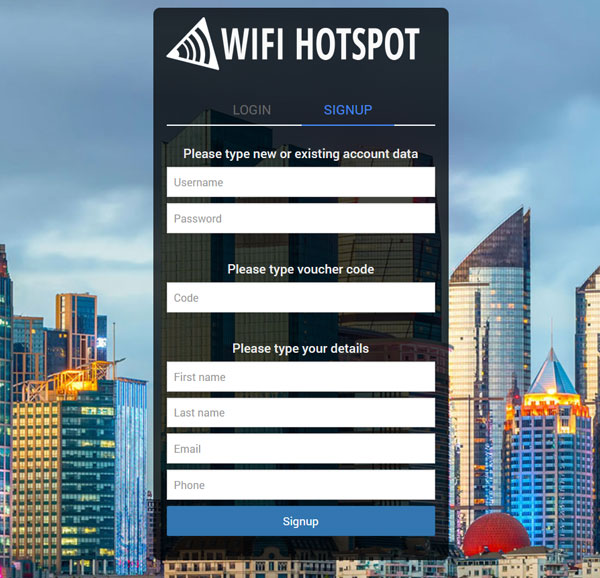
When a new guest comes, he will go to SIGNUP tab, choose username and pass
type the Voucher code, fill other required fields and create a new account.
When account expires, guest will go again to SIGNUP tab, type existing username and pass, type the Voucher code and other fields will be discarded if they are not already stored, and refill his existing account.
At any time he can login at the LOGIN tab.
Related Articles
Login or Sign Up
Full business automation can be achieved if you allow the signup method for account creation from the Splash page. New users will be able to Signup for free access or pay with a credit card for high-tiered plans. To allow users to signup for free, ...Voucher login & data collect
The Voucher login & data collect method is a convenient way to collect customer data and allow login using the Login Code. From Login forms choose Voucher login & data collect.When you click on the + button, this login form will be added as the login ...Free Access
Free Access over Splash page can be set in a couple of clicks. Available free access forms are: – Free access with a click-through – Free access with a keyword – Free access with collecting customer data When you click on the + button, this login ...Brand Message Ad
Brand Message Ad allows you to engage users to remember brand messages by typing ad keywords. When you click on the + button, this login form will be added as the access method. A Brand Message Ad can be configured from the Settings page ...Marketing campaigns
Marketing campaigns allow you to easily make additional revenue with the platform. Using the Marketing campaigns login method, you can display targeted ads to the WiFi users on the Splash page. Go to the Marketing Campaigns panel and create at least ...