Login or Sign Up
Full business automation can be achieved if you allow the signup method for account creation from the Splash page.
New users will be able to Signup for free access or pay with a credit card for high-tiered plans.
To allow users to signup for free, you will need to create an Internet plan with 0.00 as a price. Such a plan will hide credit card fields when clicked and a user will be able to signup for free.
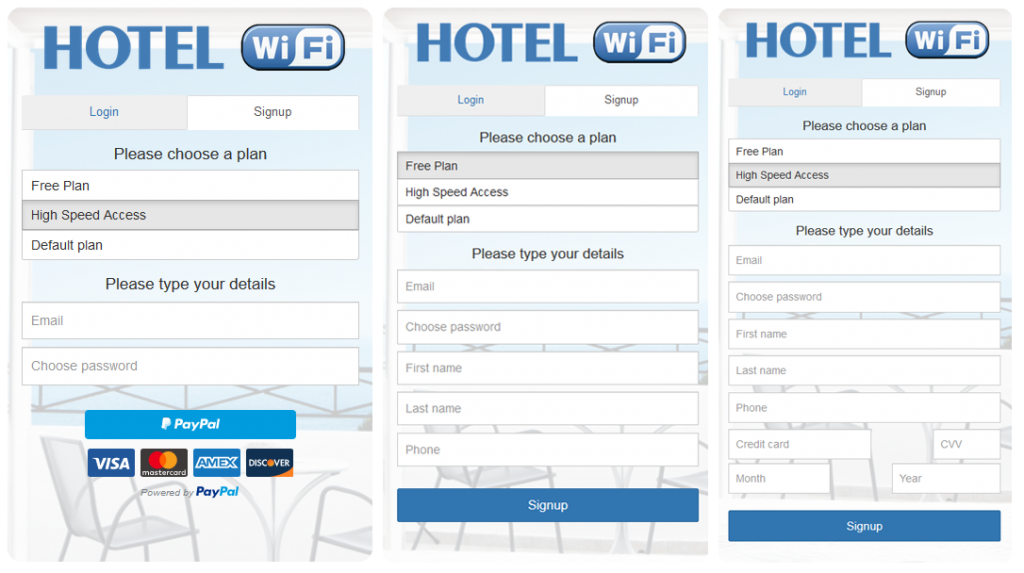
When you click on the + button, this login form will be added as the login method.
By default, it is set to User login with Username and Password and Signup with a credit card.
Login or signup can be configured from the Settings page configuration menu.
In addition, is possible to enable Email verification based on the verification API.
Press on Save button to apply changes.
This way user will get Splash page from which will be active Login or signup method.

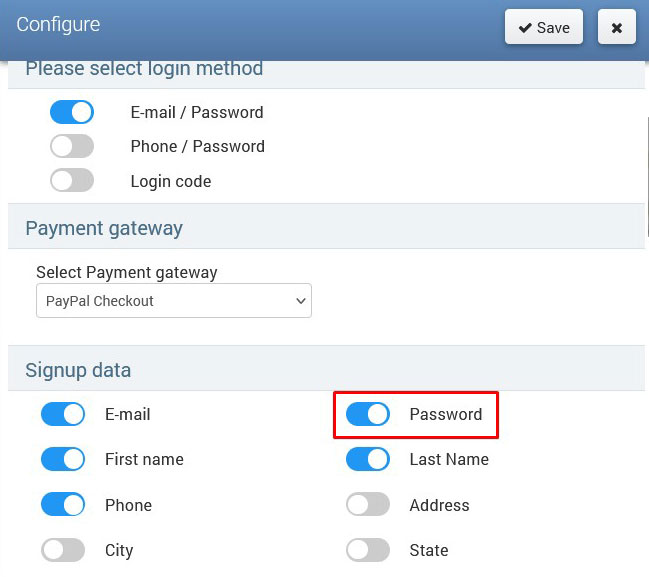
For Signup with a free plan, the password must be enabled in the Signup data settings section.
Related Articles
User Login
The user login form is the most common login method for commercial use. It is a basic login method with a Username/password or Login code (Voucher). When you click on the + button, this login form will be added as the login method. By default, it is ...Voucher login & data collect
The Voucher login & data collect method is a convenient way to collect customer data and allow login using the Login Code. From Login forms choose Voucher login & data collect.When you click on the + button, this login form will be added as the login ...Marketing campaigns
Marketing campaigns allow you to easily make additional revenue with the platform. Using the Marketing campaigns login method, you can display targeted ads to the WiFi users on the Splash page. Go to the Marketing Campaigns panel and create at least ...Social network
Accessing social networks is an effective way to obtain users’ valid email addresses. Users can enjoy free WiFi access by logging in with their preferred social media accounts. In return, you will receive the email addresses associated with these ...Brand Message Ad
Brand Message Ad allows you to engage users to remember brand messages by typing ad keywords. When you click on the + button, this login form will be added as the access method. A Brand Message Ad can be configured from the Settings page ...